
For Figma
The component QA plugin design teams love
Test every variant, catch edge cases, and ship perfect components. FigQA automatically generates comprehensive QA tests for your Figma design system components in seconds.
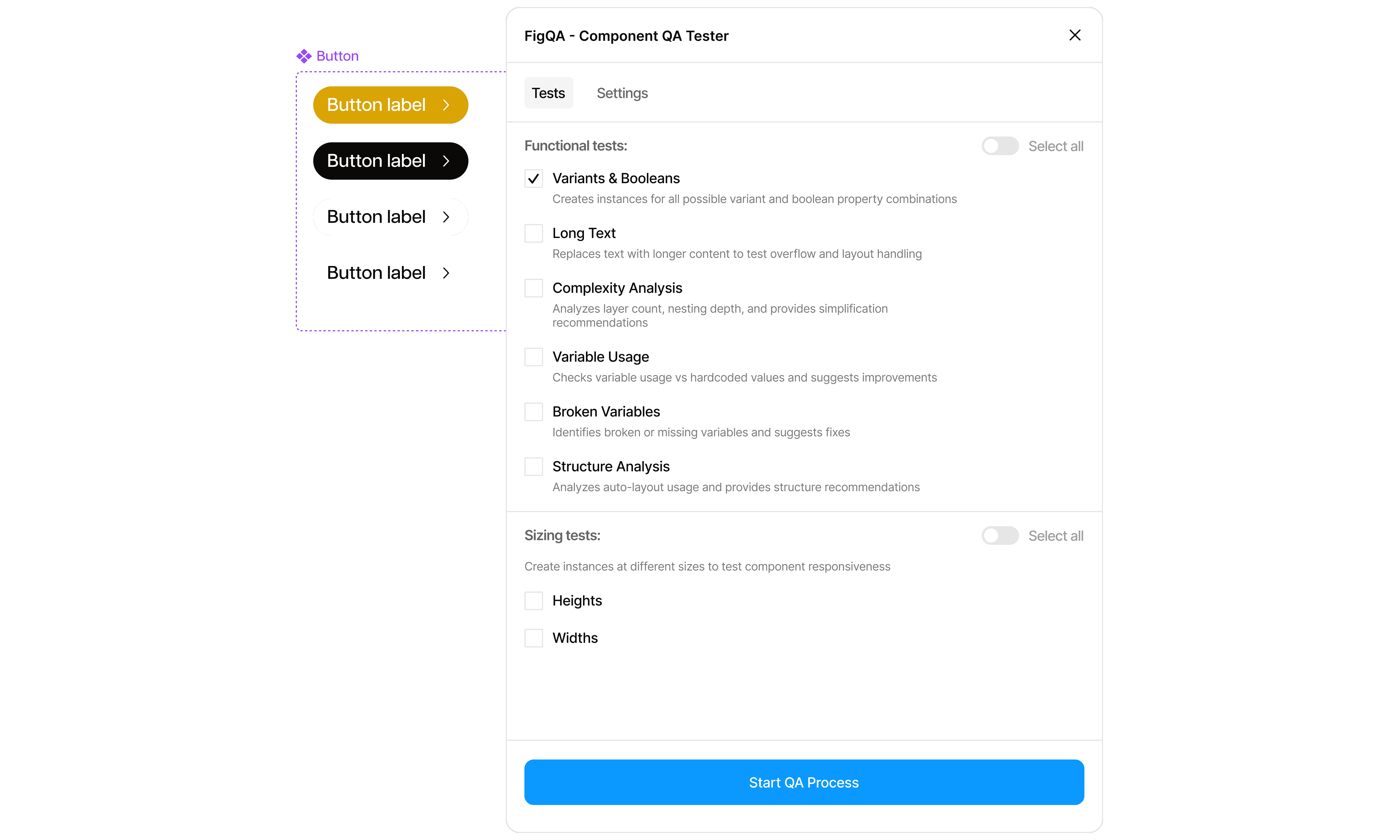
Speedy reviews
Comprehensive testing in seconds
Speedy reviews
Comprehensive testing in seconds
Speedy reviews
Comprehensive testing in seconds
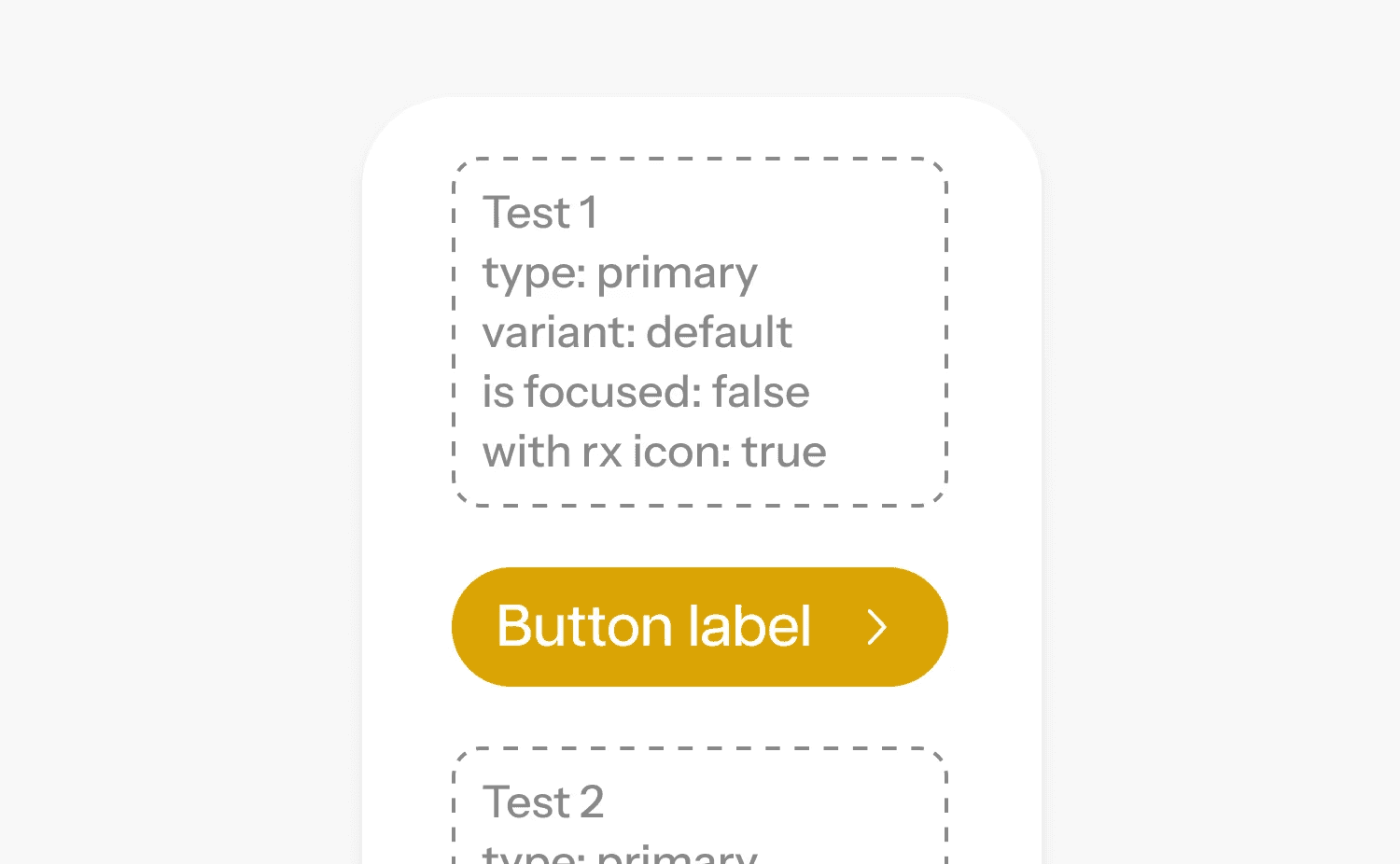
Automatic variant testing
FigQA generates instances for every possible variant combination automatically
Automatic variant testing
FigQA generates instances for every possible variant combination automatically
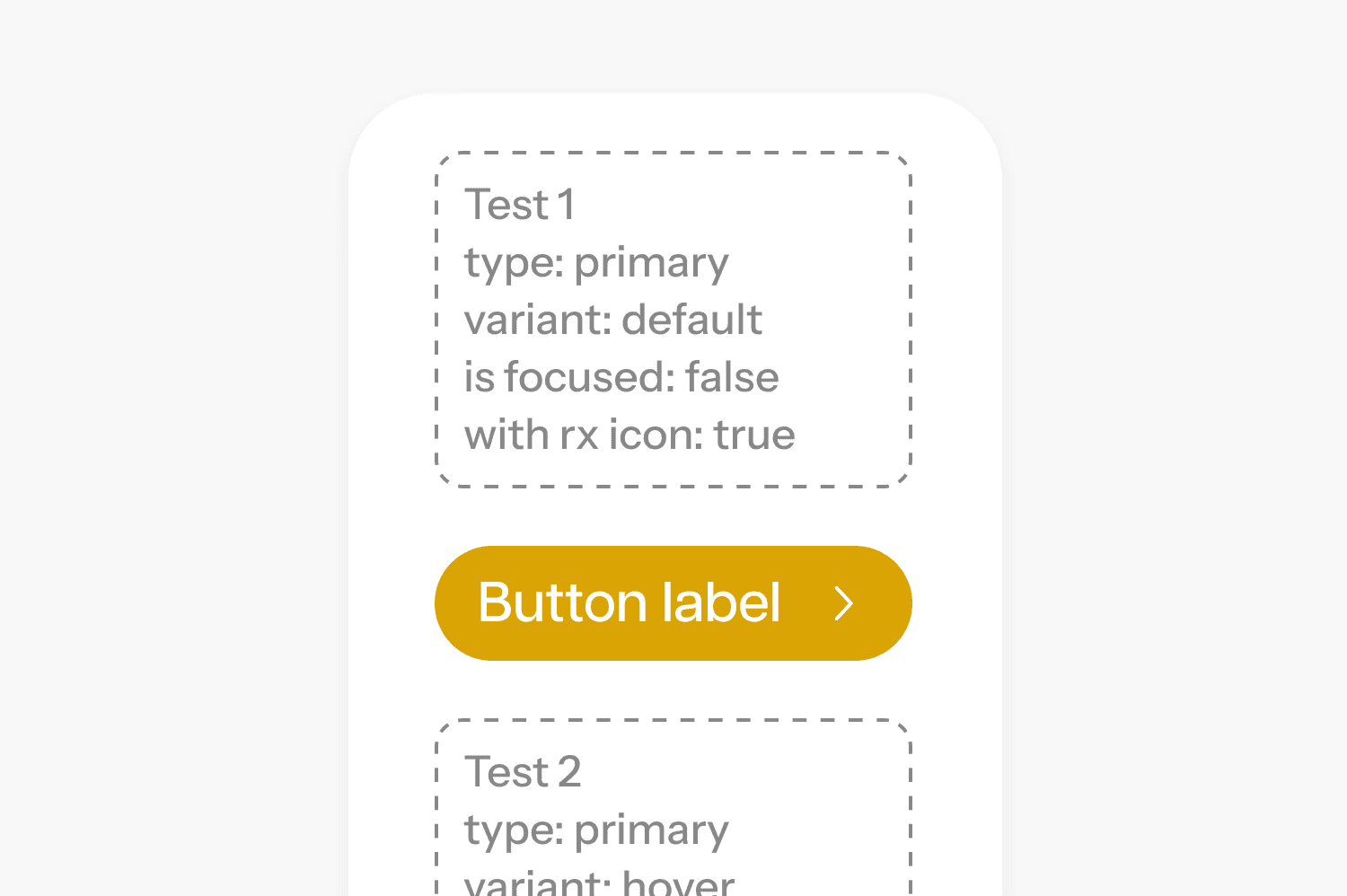
Automatic variant testing
FigQA generates instances for every possible variant combination automatically
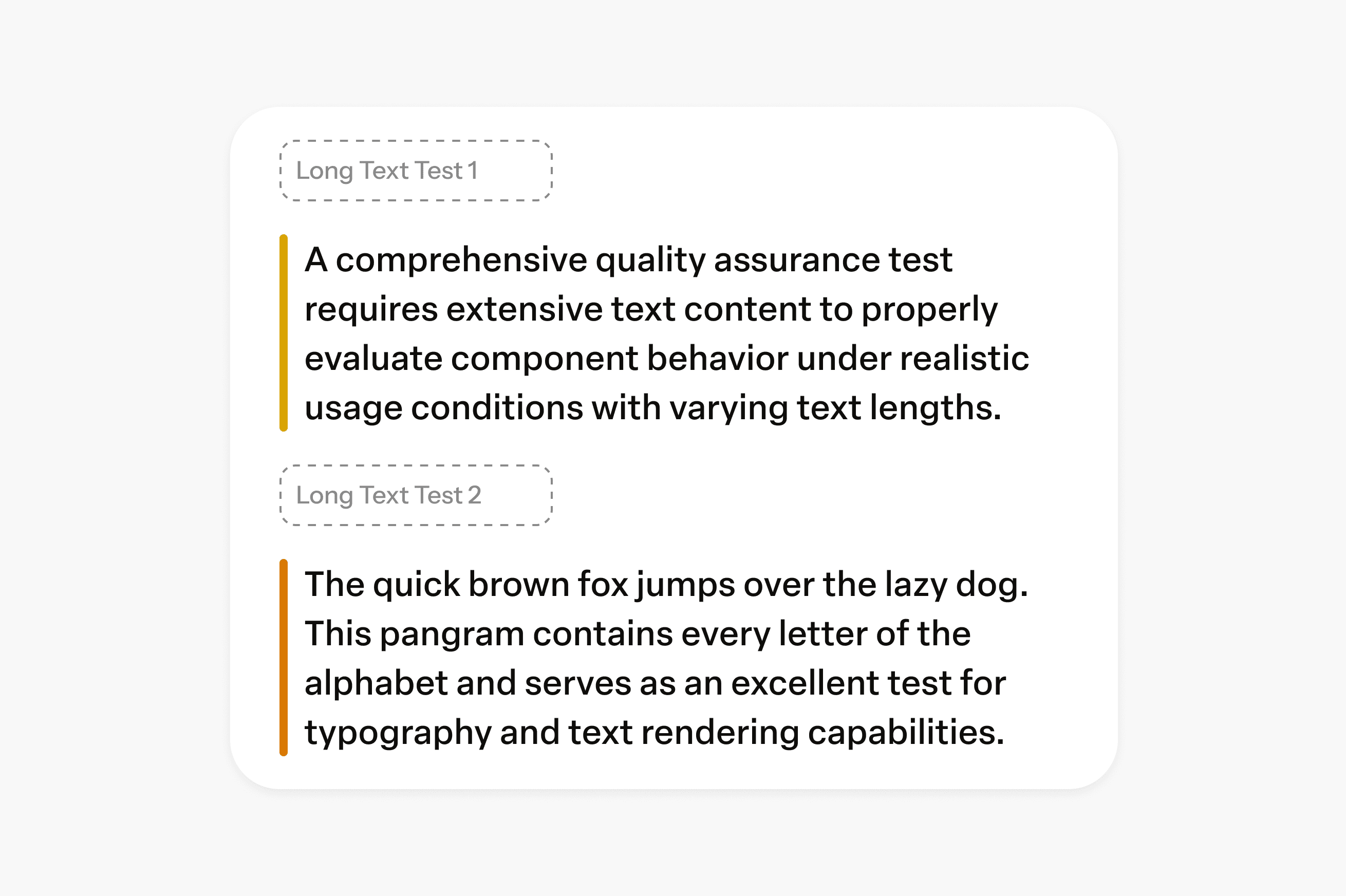
Smart text testing
Replaces placeholder text with realistic long-form content to test text overflow
Smart text testing
Replaces placeholder text with realistic long-form content to test text overflow
Smart text testing
Actionable suggestions from your data, without digging into spreadsheets .
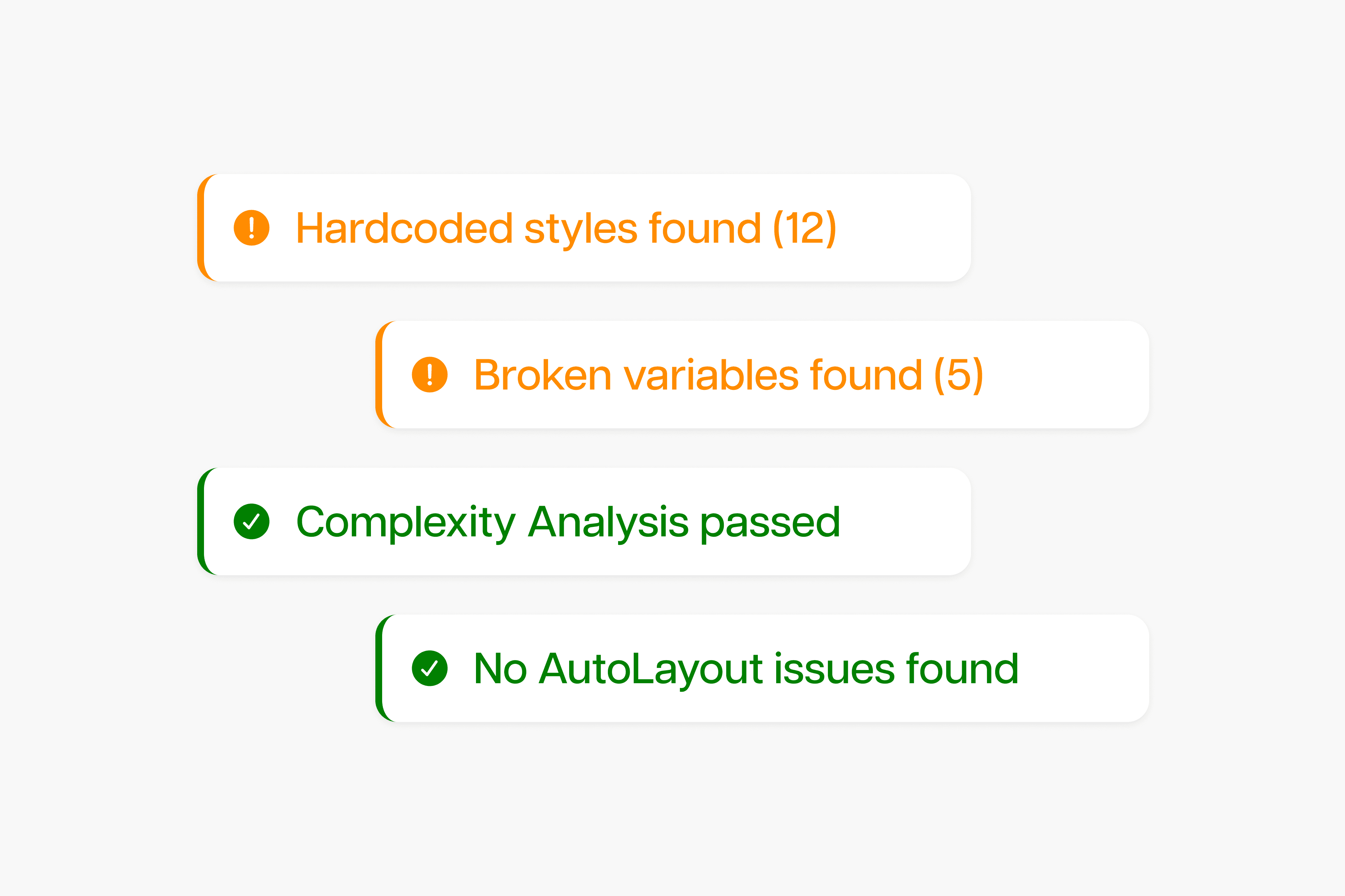
Technical health checks
Validates design tokens, missing styles, and component structure best practices
Technical health checks
Validates design tokens, missing styles, and component structure best practices
Technical health checks
Validates design tokens, missing styles, and component structure best practices
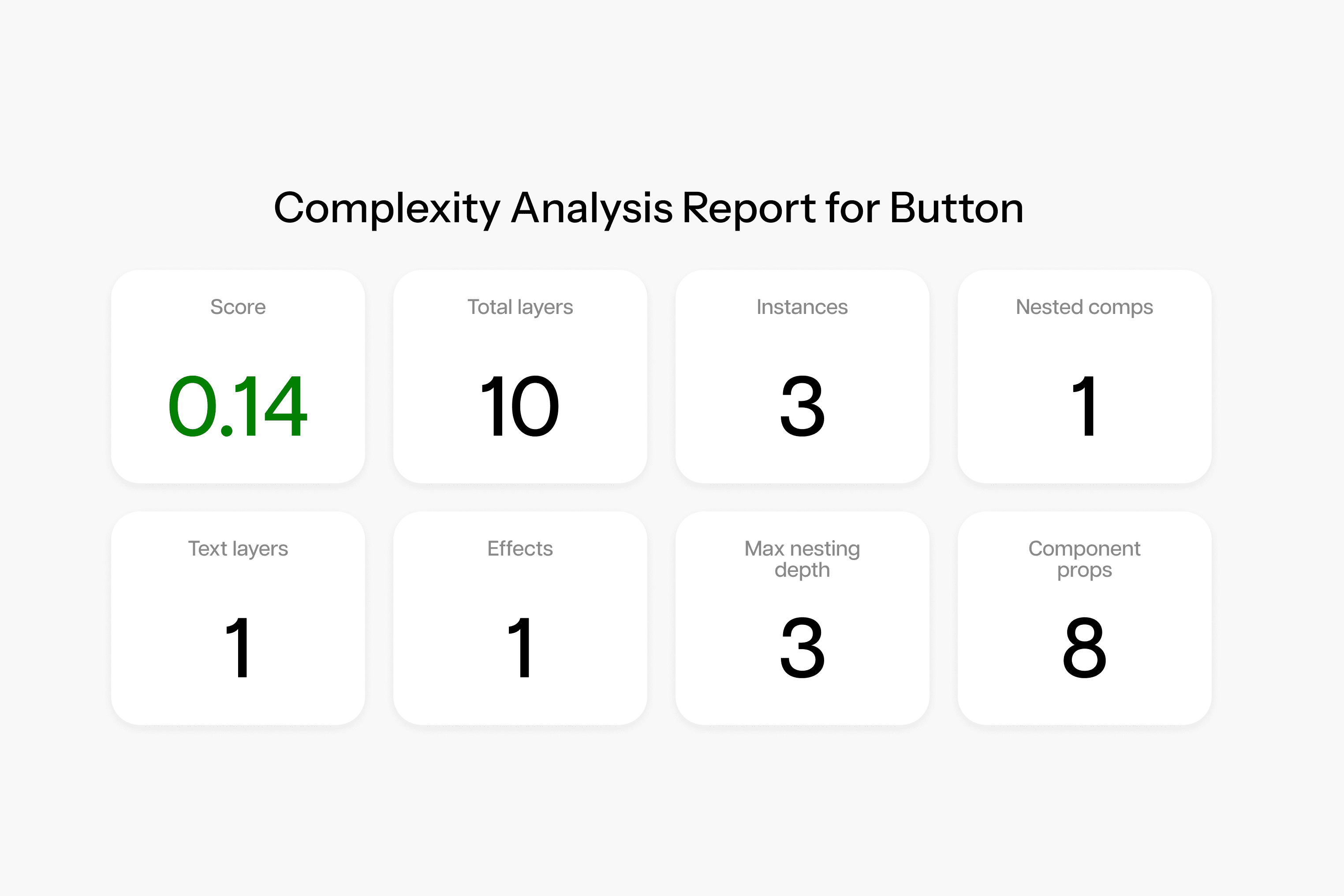
Detailed reporting
Get actionable insights with clear pass/fail status and recommendations
Detailed reporting
Get actionable insights with clear pass/fail status and recommendations
Detailed reporting
Get actionable insights with clear pass/fail status and recommendations
Benefits
Publish with confidence
Benefits
Publish with confidence
Benefits
Publish with confidence
Catch issues before you publish
Catch issues before you publish
Real-Time Tracking
Save hours on reviewing your componentry
Save hours on reviewing your componentry
Save hours on reviewing your componentry
Built specifically for design systems
Built specifically for design systems
Built specifically for design systems
Keep your analytics safe with advanced security and strong encryption.
Test all variant combinations automatically
Test all variant combinations automatically
Test all variant combinations automatically
Design QA made simple
How it works
Design QA made simple
How it works
Design QA made simple
How it works
01
Select your component in Figma
01
Select your component in Figma
01
Select your component in Figma
02
Click “Start QA Process” in FigQA plugin
02
Click “Start QA Process” in FigQA plugin
02
Click “Start QA Process” in FigQA plugin
03
Review generated test instances and report
03
Review generated test instances and report
03
Review generated test instances and report
04
Fix issues and publish with confidence
04
Fix issues and publish with confidence
04
Fix issues and publish with confidence
Our Pricing
Buy once, use forever
Our Pricing
Buy once, use forever
Our Pricing
Buy once, use forever
Lifetime license
$29
$199
For fast-growing teams who are scaling.
What's included
Unlimited tests
Automatic variant testing
Long text testing
Complexity and structure analysis
Variables reports
Lifetime license
$29
$199
For fast-growing teams who are scaling.
What's included
Unlimited tests
Automatic variant testing
Long text testing
Complexity and structure analysis
Variables reports
Lifetime license
$29
$199
For fast-growing teams who are scaling.
What's included
Unlimited tests
Automatic variant testing
Long text testing
Complexity and structure analysis
Variables reports
FAQ's
Common questions with Clear answers
Here are answers to the most common things people ask before getting started.
FAQ's
Common questions with Clear answers
Here are answers to the most common things people ask before getting started.
FAQ's
Common questions with Clear answers
Here are answers to the most common things people ask before getting started.
What is FigQA?
FigQA is a Figma plugin that helps designers and teams validate components and design systems more reliably. It automates common QA checks so you can catch structural issues and inconsistencies early, without relying on slow, manual reviews.
Who is FigQA for?
What kind of issues does FigQA check?
Does FigQA replace manual QA or design reviews?
Can I use FigQA on existing design systems?
Is FigQA opinionated about how I structure my design system?
Will FigQA slow down my Figma files?
Can I use FigQA on existing design systems?
Is FigQA useful for solo designers?
How is FigQA different from checklists or documentation?
Do I need to be technical to use FigQA?
Is FigQA a one-time purchase or subscription?
What is FigQA?
FigQA is a Figma plugin that helps designers and teams validate components and design systems more reliably. It automates common QA checks so you can catch structural issues and inconsistencies early, without relying on slow, manual reviews.
Who is FigQA for?
What kind of issues does FigQA check?
Does FigQA replace manual QA or design reviews?
Can I use FigQA on existing design systems?
Is FigQA opinionated about how I structure my design system?
Will FigQA slow down my Figma files?
Can I use FigQA on existing design systems?
Is FigQA useful for solo designers?
How is FigQA different from checklists or documentation?
Do I need to be technical to use FigQA?
Is FigQA a one-time purchase or subscription?
What is FigQA?
FigQA is a Figma plugin that helps designers and teams validate components and design systems more reliably. It automates common QA checks so you can catch structural issues and inconsistencies early, without relying on slow, manual reviews.